
Timeline Editing Definition
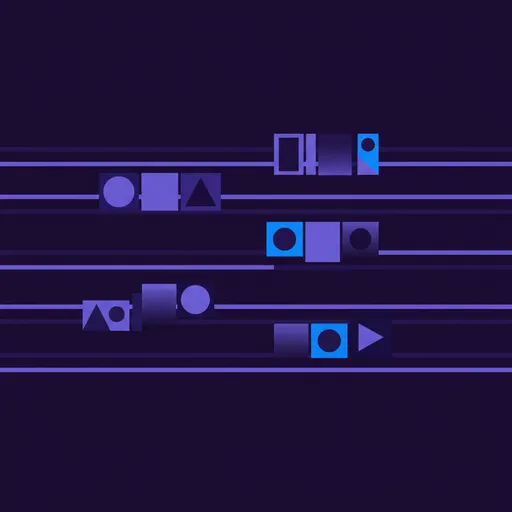
Timeline editing is the visual arrangement of video clips, audio tracks, effects, and transitions along a horizontal chronological track that represents the sequence of a finished program from start to end.
Why timeline editing matters for video teams
The timeline is the central workspace of every non-linear editing system. It provides a visual representation of time flowing from left to right, with video and audio elements stacked in vertical layers. This spatial metaphor makes complex edits intuitive — you can see the structure of an entire program at a glance, identify pacing issues by the relative length of clips, and understand layering by vertical stacking.
Timeline editing transformed how editors think about structure. Instead of holding the entire sequence in memory (as linear editors had to), the timeline externalizes structure visually. Long scenes are immediately visible as extended blocks. Rapid cutting appears as a dense cluster of short segments. The rhythm of a piece becomes spatial — you can literally see whether a sequence breathes or rushes.
For collaborative teams, timelines serve as communication artifacts. A director can review a timeline and provide structural feedback without watching the entire cut. An assistant editor can see where music beds need to be extended. A sound designer can identify where dialogue gaps exist. The timeline is simultaneously a creative tool and a project management document.
Best practices for timeline editing
Keep your timeline organized with clearly labeled tracks. Assign dedicated tracks for specific purposes: V1 for primary footage, V2 for B-roll overlays, V3 for graphics, A1-A2 for dialogue, A3-A4 for music, A5-A6 for sound effects. This consistency makes timelines readable by any team member and simplifies handoffs between editors.
Use markers liberally to annotate your timeline. Mark sections that need attention, note client feedback at specific timecodes, flag placeholder content, and indicate music sync points. Markers transform the timeline from a raw assembly into a documented work-in-progress that communicates status without a separate notes document.
Nest or compound complex segments. When a section of your timeline becomes densely layered — a montage with multiple video layers, composited graphics, and intricate audio — nest it into a single compound clip. This simplifies the parent timeline visually while preserving the detailed work inside the nest for refinement.
How ShotAI relates to timeline editing
ShotAI helps editors populate their timelines faster by providing instant access to the right clips through natural language search, reducing the time between creative vision and timeline assembly.
Related Terms
Non-Linear Editing
Non-linear editing (NLE) is a digital video editing method that allows instant random access to any frame in the source material, enabling editors to assemble, rearrange, and modify sequences in any order without destructive changes to original files..
Rough Cut
A rough cut is the first assembled version of an edited video that establishes the overall structure, scene order, and approximate timing before detailed refinement of pacing, transitions, audio, and visual effects..
Edit Decision List
An edit decision list (EDL) is a structured document that records every edit in a sequence — including source reels, timecodes, transition types, and durations — enabling a final cut to be precisely recreated from original source material..
Written by the ShotAI team. Last updated May 2026.