
Definitive Guide
Video Asset Management 101: The Complete Guide
Everything you need to know about organizing, storing, and retrieving video content at scale, from foundational concepts to AI-powered workflows that are redefining the discipline.
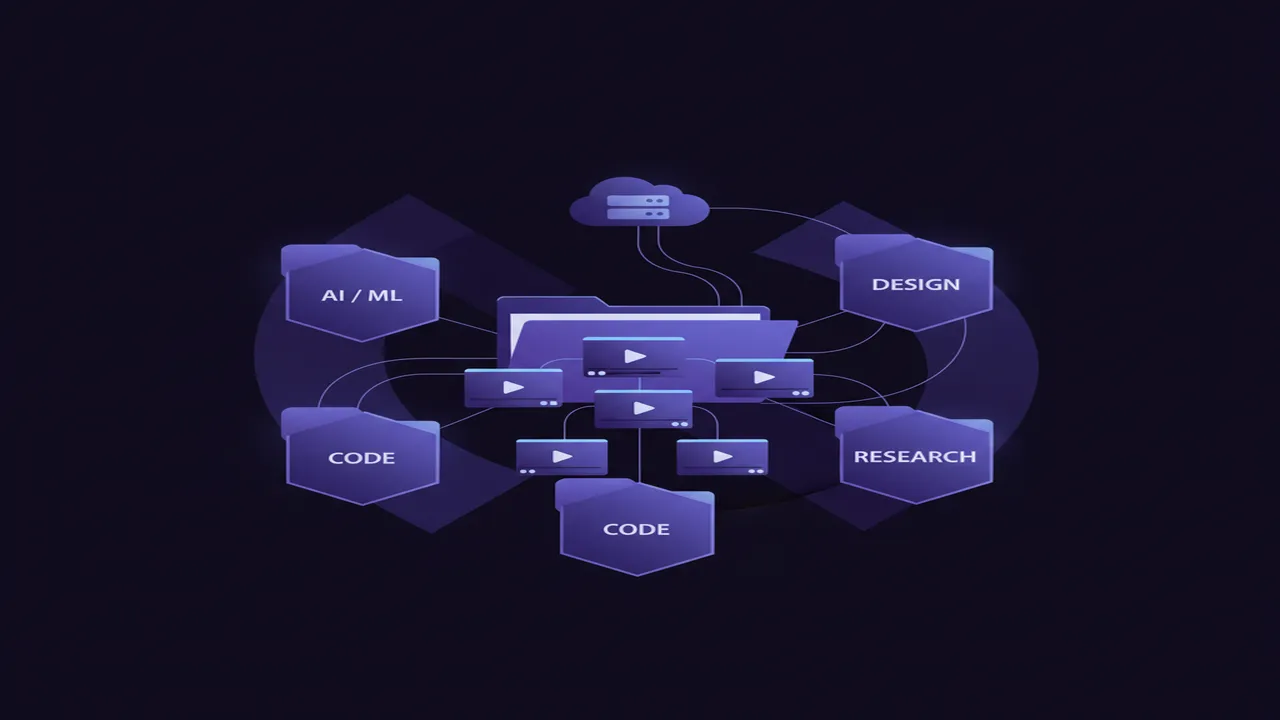
What is video asset management?
Video asset management is the discipline of organizing, cataloging, and retrieving video files across their lifecycle — from ingest through editing to archive and delivery.
At its simplest, video asset management (VAM) answers three questions that every video team confronts daily: Where is this footage? What does it contain? And who has permission to use it? Without a deliberate system to answer these questions, organizations default to ad-hoc solutions: nested folder hierarchies, spreadsheets, tribal knowledge, or, increasingly, frantic Slack messages asking “does anyone know where the client interview B-roll went?”
A video asset management system provides a single source of truth for every video file in your organization. It tracks not only where files are physically stored, but also the rich metadata surrounding each asset: who shot it, when, for which project, what it contains visually, what version it represents, and what usage rights govern it. This metadata layer transforms a chaotic pile of files into a searchable, navigable, governed library.
The scope of VAM extends well beyond simple storage. A mature video asset management practice encompasses the entire content lifecycle: ingest and transcoding, metadata enrichment, collaborative review, version management, distribution to downstream platforms, and long-term archival. Each stage presents unique challenges that VAM systems are purpose-built to address.
Video asset management has become especially critical as video production volumes explode. Cisco estimates that video will account for 82% of all internet traffic by 2027. Internally, organizations produce more video than ever: marketing campaigns, training content, product demos, event recordings, and user-generated footage. Without systematic management, this content becomes a liability rather than an asset.
Why does video asset management matter?
The cost of unmanaged video content is both direct and indirect. Teams without proper VAM practices experience cascading inefficiencies that compound over time:
1. Time lost to searching
Research consistently shows that knowledge workers spend 20-30% of their time searching for information. For video professionals, this percentage is even higher because video files lack the text-based searchability of documents. A 2024 industry survey found that editors spend an average of 2.5 hours per day locating and reviewing footage they know exists somewhere in their organization.
2. Duplicate storage costs
Without a central catalog, teams inevitably create redundant copies. The same master file might live on three editors' local drives, a shared NAS, and two cloud storage accounts. At 4K and above resolutions, a single hour of footage can consume 300-500GB. Multiplied by dozens of redundant copies across an organization, storage costs balloon unnecessarily.
3. Lost and orphaned assets
When team members leave or projects conclude, institutional knowledge about footage location often disappears. Organizations routinely discover that thousands of dollars worth of professionally shot footage has become effectively inaccessible because nobody remembers it exists or where it was stored.
4. Version confusion
Video files pass through multiple rounds of editing, color grading, audio mixing, and client feedback. Without version management, teams risk delivering outdated cuts, overwriting approved versions, or spending hours determining which file labeled "FINAL_v3_REAL_FINAL" is actually the approved deliverable.
5. Compliance and rights violations
Video assets carry complex usage rights: talent releases, music licenses, brand guidelines, and geographic restrictions. Using footage beyond its licensed scope can result in legal action. A VAM system tracks these constraints and prevents unauthorized usage before it happens.
6. Onboarding friction
New team members joining without a VAM system face a steep learning curve. They must learn idiosyncratic folder structures, decode cryptic naming conventions, and identify who to ask about various project archives. Proper asset management makes institutional knowledge accessible from day one.
The financial impact is measurable. For a mid-size production team of 10 editors, eliminating just one hour of daily search time per person saves over 2,500 billable hours per year. At typical post-production rates, that represents $150,000-$375,000 in recovered productivity annually, far exceeding the cost of any VAM solution.
What are the core components of a VAM system?
A comprehensive video asset management system integrates several interconnected components. Each addresses a distinct challenge in the content lifecycle:
Storage layer
The physical infrastructure where video files reside. This may include local drives, network-attached storage (NAS), storage area networks (SAN), object storage (S3-compatible), or hybrid configurations. The storage layer must handle the unique demands of video: large file sizes, high throughput for playback, and tiered access for active vs. archived content.
Metadata engine
The intelligence layer that describes what each asset is. Metadata includes technical properties (codec, resolution, frame rate, duration), descriptive information (scene descriptions, people, locations), administrative data (project, client, creator, date), and rights information (licenses, expiry dates, usage restrictions). Rich metadata is what transforms storage into a library.
Search and discovery
The interface through which users find assets. Basic systems offer keyword and filter search. Advanced systems provide faceted search, saved queries, smart collections, and increasingly, AI-powered semantic search that understands natural language descriptions of visual content.
Version control
Tracking the evolution of assets through multiple iterations. A VAM system maintains the relationship between original footage, rough cuts, intermediate versions, and final deliverables. Users can trace any asset back to its source material and understand the full edit history.
Access control and permissions
Governing who can view, download, edit, or share specific assets. Enterprise VAM systems provide role-based access control (RBAC), project-level permissions, watermarking for review copies, and audit trails showing who accessed which assets and when.
Delivery and distribution
Moving finished assets to their final destinations: social platforms, broadcast systems, CDNs, client portals, or archive storage. Automated transcoding, format conversion, and metadata packaging streamline the last mile of the content lifecycle.
Basic vs. Enterprise features: The depth of each component varies significantly between entry-level and enterprise solutions:
| Component | Basic VAM | Enterprise VAM |
|---|---|---|
| Storage | Single location, manual backup | Multi-tier, geo-replicated, auto-archival |
| Metadata | Manual tags, basic fields | AI-generated, custom schemas, inheritance |
| Search | Keyword filter | Semantic AI search, saved queries, facets |
| Versioning | Filename-based (v1, v2) | Full history, branching, rollback |
| Access control | Folder-level sharing | RBAC, audit logs, watermarking |
| Delivery | Manual export | Automated transcoding, CDN integration |
How do teams implement video asset management?
Transitioning from ad-hoc file management to a structured VAM practice requires a methodical approach. Teams that rush into tool selection without groundwork often end up with systems that nobody adopts. Here is a proven implementation framework:
Step 1: Audit your current state
Before choosing a tool, understand what you have. Map where footage currently lives (local drives, cloud, external media, legacy archives). Estimate total volume in terabytes. Identify how many people need access and what their typical workflows look like. Document pain points: what takes the longest, what fails most often, what has been lost. This audit becomes your requirements document.
Step 2: Choose your system
With requirements in hand, evaluate solutions against your specific needs. Key decision axes include: cloud vs. local vs. hybrid deployment, team size and collaboration needs, integration requirements with existing NLEs and delivery platforms, budget constraints, and security/privacy requirements. Start a shortlist of 2-3 options and run pilot tests with real footage from your library.
Step 3: Define your taxonomy
A taxonomy is the vocabulary and structure used to describe assets. Define project naming conventions, required metadata fields, folder hierarchies (if applicable), and controlled vocabularies for common tags. The taxonomy should be detailed enough to enable precise search but simple enough that team members will actually use it consistently. Avoid over-engineering: start with 5-10 required fields and expand based on real usage patterns.
Step 4: Migrate existing assets
Migration is typically the most time-intensive step. Prioritize recent and active projects first, then work backward through archives. For each batch: import files into the new system, apply taxonomy metadata, verify search accuracy, and confirm access permissions. AI-powered systems dramatically reduce this burden by auto-generating metadata during import. Plan for 1-4 weeks depending on library size.
Step 5: Train your team
Tool adoption depends on training quality. Run hands-on workshops (not just documentation links) showing team members how to ingest, search, review, and deliver assets through the new system. Designate a VAM champion on each team to answer questions during the transition period. Establish clear policies: when must assets be ingested? What metadata is required? Who approves access requests?
Step 6: Iterate and refine
No VAM implementation is perfect on day one. Schedule monthly reviews during the first quarter to assess adoption metrics, identify workflow friction, and refine the taxonomy based on real search patterns. Gather feedback from power users and occasional users alike. Adjust permissions, metadata requirements, and automation rules based on what you learn.
Timeline expectation: Small teams (2-5 people) with under 10TB of footage can typically complete this process in 2-3 weeks. Mid-size organizations (10-50 people) should plan for 4-8 weeks. Enterprise deployments with multiple departments, legacy systems, and compliance requirements may take 3-6 months for full rollout, though pilot teams can be operational much sooner.
What is the difference between DAM, MAM, and VAM?
Three overlapping acronyms create confusion in this space. Understanding the distinctions helps you choose the right category of tool for your needs:
| Aspect | DAM (Digital Asset Management) | MAM (Media Asset Management) | VAM (Video Asset Management) |
|---|---|---|---|
| Scope | All digital files (images, PDFs, videos, brand assets) | Broadcast and enterprise media (video, audio, graphics) | Video content specifically |
| Primary users | Marketing, brand teams, creative services | Broadcasters, news orgs, large studios | Video editors, producers, post-production |
| Video features | Basic (treat video like any other file) | Deep (timecode, EDL, playout) | Deep (frame-level, shot detection, NLE integration) |
| Typical scale | Thousands of mixed assets | Millions of media files | Thousands to millions of video files |
| Search paradigm | Keyword + filter | Keyword + timecode + transcript | Semantic AI + visual + keyword |
| Pricing model | Per user/month ($20-$100) | Enterprise contracts ($50K-$500K/yr) | Varies (per-seat, per-volume, or flat) |
| Example tools | Bynder, Brandfolder, Canto | Dalet, Avid MediaCentral, EVS | ShotAI, Frame.io, iconik |
Which should you choose? If your organization manages many types of digital content with video as one category among many, a DAM system may suffice. If you operate a broadcast facility with playout requirements and tape-based archives, MAM is your domain. If video is your primary medium and you need deep video-specific capabilities like shot-level indexing, frame-accurate search, and NLE integration, a purpose-built VAM system will serve you best.
In practice, the boundaries are blurring. Modern VAM tools increasingly incorporate DAM features (handling images and documents alongside video), while DAM platforms add video-specific capabilities. The key differentiator is depth of video understanding: a true VAM system treats video as a first-class citizen with temporal, visual, and audio dimensions, not merely as a large file to be stored and tagged.
How is AI changing video asset management?
Artificial intelligence is fundamentally transforming every component of video asset management. What once required hours of manual labor now happens automatically at ingest time. Here are the key AI capabilities reshaping the field:
1. Automatic metadata tagging
AI models analyze video frames and automatically generate descriptive tags: objects present, scene type, lighting conditions, camera movement, colors, and actions. This eliminates the single biggest bottleneck in traditional VAM: the manual tagging workload. A clip that would take a human 2-3 minutes to tag thoroughly is processed in seconds with comparable or better coverage.
2. Semantic search
Instead of matching keywords against manually applied tags, semantic search understands the meaning of natural language queries and matches them against the visual content itself. Searching for "emotional conversation in a dimly lit room" returns relevant results regardless of how (or whether) anyone tagged the footage. This capability alone transforms how teams interact with their libraries.
3. Scene and shot detection
AI automatically segments long video files into individual shots based on visual cuts, transitions, and scene changes. Each shot becomes a separately searchable unit. This is particularly valuable for raw interview footage, event recordings, and multicam shoots where a single file contains dozens of distinct moments.
4. Smart recommendations
Based on what you are currently editing or searching for, AI can proactively suggest related assets from your library. Working on a travel video about Japan? The system surfaces your archived cherry blossom footage, your Tokyo skyline timelapses, and that transit B-roll from last year, without being asked.
5. Automatic transcription and alignment
Speech-to-text models transcribe dialogue and narration, creating searchable text synchronized to timecodes. This means you can search for what was said in your footage, not just what was seen. Combined with visual semantic search, this creates a comprehensive understanding of every moment in every video.
6. Duplicate and near-duplicate detection
AI identifies visually similar or identical content across your library, flagging true duplicates (wasting storage) and near-duplicates (different cuts or grades of the same footage). This helps teams consolidate storage and establish clear version hierarchies.
Before and after AI in VAM workflows:
Before AI
- Ingest: Import files, manually rename
- Tag: 2-3 minutes per clip, incomplete coverage
- Search: Keyword match, frequent misses
- Find: Browse folders, ask colleagues
- Time to first result: 5-30 minutes
- Archive footage: Effectively lost
After AI
- Ingest: Auto-index, auto-tag on import
- Tag: Instant, comprehensive, consistent
- Search: Natural language, 85-95% recall
- Find: Describe what you need, get results
- Time to first result: Under 5 seconds
- Archive footage: Fully searchable forever
The net effect of AI in video asset management is a shift from human-maintained catalogs to self-organizing libraries. The system understands its own contents without being told, enabling workflows that were simply impossible with manual approaches regardless of team size or budget.
What should you look for in a video asset management tool?
With dozens of tools on the market ranging from basic folder organizers to enterprise platforms, choosing the right VAM system requires evaluating specific capabilities against your workflow needs. Here is a decision criteria checklist:
Video-native architecture
The tool should be built specifically for video, not retrofitted from a general-purpose file manager. Look for timeline-based previews, frame-accurate navigation, proxy generation, and an understanding of video-specific metadata like timecode, frame rate, and codec.
AI-powered search and tagging
Manual tagging is unsustainable at scale. Prioritize tools with built-in AI that automatically analyzes and indexes video content on import. Verify that the AI understands visual content (not just filenames) and supports natural language search queries.
Performance at your scale
Test with your actual library size. A tool that demos well with 100 clips may struggle with 50,000. Ask about indexing speed, search latency at scale, and whether performance degrades as the library grows. Request benchmarks or trial the tool with representative data volumes.
Local-first vs. cloud trade-offs
Cloud tools offer anywhere-access and easier collaboration. Local tools offer privacy, speed (no upload required), and predictable costs. Consider your security requirements, internet bandwidth, and whether footage leaves your premises. The ideal solution often supports both modes.
Format and codec support
Production workflows involve ProRes, DNxHR, H.264, H.265, BRAW, R3D, MXF, and more. Verify that the tool handles your actual production formats natively without requiring transcoding. Poor codec support creates friction that discourages adoption.
Integration with your editing tools
The VAM system should connect to your NLE (Premiere Pro, DaVinci Resolve, Final Cut Pro, Avid). At minimum, you need easy export of selected clips with timecodes. Ideally, direct panel integrations that let you search and import without leaving your editor.
Collaboration and sharing features
Evaluate how the tool handles multi-user access: concurrent editing of metadata, shared collections, review and approval workflows, and guest access for external clients. Remote teams need real-time sync; on-premises teams need LAN-optimized performance.
Scalable pricing model
Beware per-minute or per-gigabyte pricing that penalizes large libraries. Understand total cost at your current scale and projected 2-year growth. Flat-rate and per-seat models provide cost predictability. Hidden costs include storage fees, egress charges, and premium feature tiers.
Data portability and export
Vendor lock-in is a real risk. Ensure you can export your metadata, collections, and organizational structure if you ever need to switch tools. Open standards (XMP sidecar files, CSV export) are preferable to proprietary-only formats.
Security and compliance
For pre-release content, legal footage, or regulated industries, evaluate encryption (at rest and in transit), access audit logs, SOC 2 compliance, GDPR readiness, and whether any data is shared with third parties for model training or analytics purposes.
Why ShotAI is video asset management, but also much more
ShotAI approaches video asset management from a fundamentally different angle than traditional tools. Rather than asking you to build and maintain a metadata catalog manually, ShotAI understands your footage automatically using multimodal AI. The result is a VAM system that requires zero setup beyond importing your files:
- Fully local processing: footage stays on your machine. No cloud uploads, no privacy concerns, no per-minute processing fees. Your content remains yours.
- AI-native from day one: every video is automatically analyzed at the shot level. Objects, scenes, actions, lighting, composition, and mood are all indexed without any manual tagging.
- Semantic search across your entire library: describe what you need in natural language and get frame-accurate results in under 300ms, regardless of library size.
- Shot-level granularity: ShotAI segments videos into individual shots, making each distinct moment independently searchable. Find the exact 3-second cutaway inside a 45-minute file.
- Works entirely offline: no internet required. Edit on planes, in remote locations, or in secure facilities without connectivity dependencies.
- Format-agnostic: ProRes, H.264, H.265, BRAW, MXF, MOV, MP4, and more. Native support for production codecs without transcoding requirements.
If you have been managing video assets with folder hierarchies, spreadsheets, or legacy DAM tools that treat video like just another file, ShotAI offers a fundamentally better approach. Learn more about what ShotAI can do for your workflow.
Frequently Asked Questions
What is the difference between video asset management and a file server?
A file server stores files without understanding their contents. Video asset management adds a metadata layer, search capabilities, version control, access permissions, and workflow automation on top of storage. A VAM system knows what is inside each video, who created it, which project it belongs to, and how to find it instantly.
How much does a video asset management system cost?
Costs range from free open-source tools to enterprise platforms costing $50,000+ per year. Cloud-based solutions typically charge per user per month ($20-$150/seat) or per storage volume. Local-first tools like ShotAI offer flat-rate pricing without per-minute or per-gigabyte surcharges, making costs predictable regardless of library size.
Can video asset management work with footage stored on external drives?
Yes. Most modern VAM systems can index footage on external drives, NAS devices, and even offline archives. The metadata and search index remain available even when the physical media is disconnected, allowing you to locate assets and reconnect drives only when you need the actual files.
How long does it take to set up a video asset management system?
Initial setup ranges from a few hours to several weeks depending on library size and system complexity. Local-first tools with AI indexing can be operational within a day for libraries under 10TB. Enterprise deployments with custom taxonomy, user roles, and integrations typically take 2-6 weeks of planning and migration.
Does video asset management replace my NLE (editing software)?
No. VAM systems complement your NLE, not replace it. They handle everything before and after the edit: organizing, searching, versioning, and delivering assets. Most integrate with popular NLEs like Premiere Pro, DaVinci Resolve, and Final Cut Pro so you can send clips directly to your timeline.
Is cloud-based or local video asset management better?
It depends on your priorities. Cloud VAM offers anywhere-access and simpler collaboration but requires uploading all footage (slow and expensive for large libraries) and raises privacy concerns for unreleased content. Local VAM keeps footage on your hardware, offers faster indexing, and ensures confidentiality, but requires local storage infrastructure. Many teams use a hybrid approach.
ShotAI Team
Product & Engineering at Seeknetic